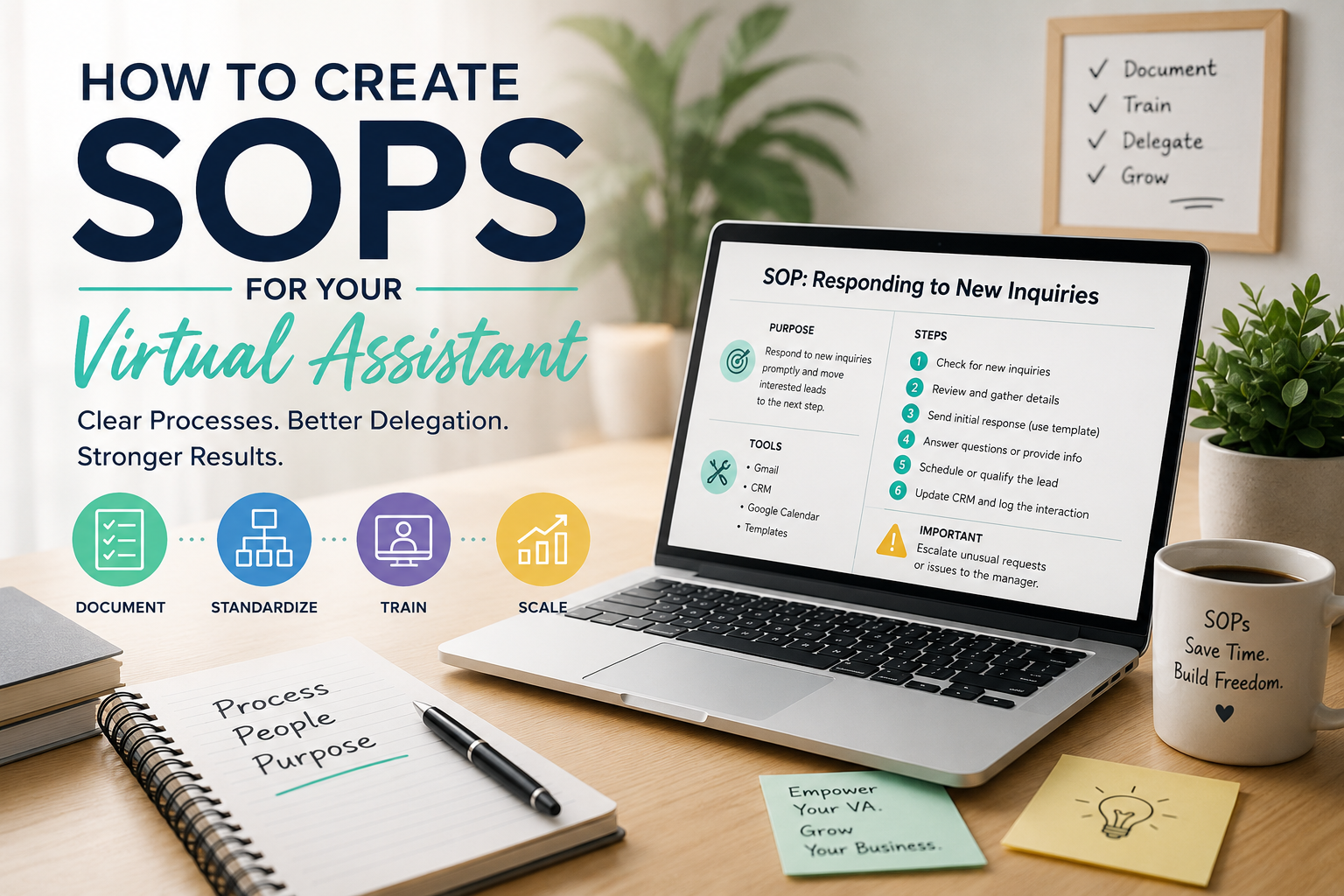
How to Create SOPs for Your Virtual Assistant
Hiring a virtual assistant can take a surprising amount of work off your plate. But there’s one thing that often gets overlooked: your VA can only work as independently as your processes allow. If every task requires a message asking, “What should I do next?” or “Where can I find this?” then you haven’t really handed off the work. You’ve just added another person to manage.
That’s where Standard Operating Procedures, or SOPs, come in.
An SOP gives your virtual assistant a clear path for completing a task without having to rely on you for every small decision. It turns the way you work from something that exists mostly in your head into something another person can actually follow. The good news is that creating SOPs doesn't have to mean writing a 20-page manual for every task in your business. In fact, the best SOPs are usually much simpler.
Here’s how to create SOPs your virtual assistant will actually use.
What Is an SOP?
A Standard Operating Procedure is simply a documented set of instructions for completing a specific task. For example, instead of telling your VA:
“Check Zillow and respond to new inquiries.”
You could create an SOP that explains:
- Where to find new inquiries
- How quickly they should be answered
- Which response template to use
- What information to include
- What to do if the person is interested
- How to record the interaction
- When to follow up
- What situations should be escalated to you
The difference may seem small, but it makes the task much easier to delegate.
A good SOP should allow someone who has never done the task before to understand what needs to happen, how it should happen, and what to do when something doesn't go according to plan.
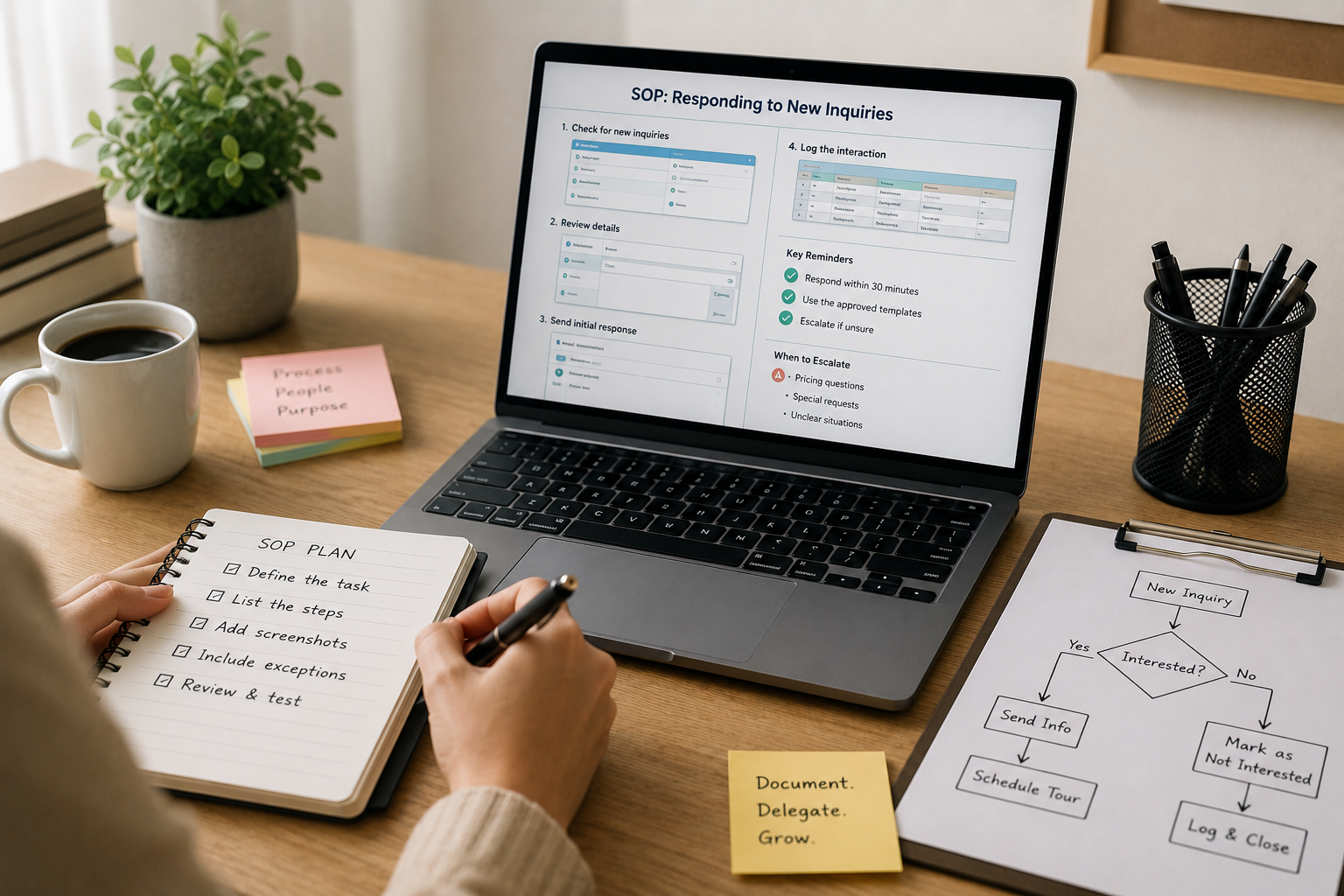
Start With the Tasks You Already Delegate
You don't need to document your entire business at once. Start with the work your VA is already doing—or the work you plan to hand off soon. Make a simple list of recurring tasks such as:
- Checking and responding to emails
- Scheduling appointments
- Updating spreadsheets
- Following up with leads
- Processing invoices
- Managing calendar appointments
- Updating CRM records
- Preparing reports
- Posting social media content
- Responding to customer inquiries
- Researching prospects
- Managing property listings
- Sending reminders
Then prioritize the tasks that are repetitive, time-consuming, and easy to standardize. Those are usually the best candidates for an SOP.
A simple rule:
If you have explained the same task to someone more than once, it probably deserves an SOP.
Don't Write the SOP From Memory
This is one of the easiest mistakes to make. You might think you know how you complete a task, but there are probably dozens of small decisions you make automatically. For example, you may think:
“I just check the inbox and respond to the messages.”
But when someone else does it, questions start appearing:
- Which messages need an immediate response?
- Which ones can wait?
- Is there a template?
- What if the customer asks for something unusual?
- Should the message be logged somewhere?
- What if the customer doesn't respond?
- When should the issue be escalated?
Those little decisions are exactly what your SOP needs to capture. The easiest way to create an accurate SOP is to document the task while you're actually doing it.
Open the software you normally use and go through the process step by step. Write down what you click, what you check, what decisions you make, and what happens next.
You're not trying to make the process sound impressive. You're trying to make it reproducible.
Give Every SOP a Clear Purpose
Before getting into the steps, explain what the SOP is for. This helps your VA understand the bigger picture instead of blindly following instructions. For example:
SOP: New Lead Follow-Up
Purpose:
To ensure every new lead receives a timely response and interested prospects are moved to the next step.
When to use:
Whenever a new lead comes in through Zillow, the website, or another approved lead source.
Responsible person:
Virtual Assistant
That small amount of context can make the instructions much easier to understand.
Keep the Structure Consistent
Your SOPs don't all have to look exactly the same, but using a consistent format makes your documentation easier to maintain. A simple SOP template can include:
1. Task Name
Make the title specific.
Instead of: “Lead Management”
Use:
“How to Respond to New Zillow Rental Inquiries”
The second title immediately tells your VA what the document covers.
2. Purpose
Explain what the task accomplishes.
3. Tools Needed
List the platforms or accounts required. For example:
- Zillow Rental Manager
- Google Sheets
- Gmail
- Google Calendar
4. When to Complete the Task
Specify the expected timing or frequency. For example:
- Daily at the beginning of the shift
- Within 30 minutes of receiving a new inquiry
- Every Friday
- At the end of each business day
5. Step-by-Step Instructions
This is the main part of the SOP. Number the steps in the order they should be completed.
6. Exceptions or Special Cases
Explain what your VA should do when the normal process doesn't apply.
7. Escalation Rules
Tell them when they should stop and ask for help.
8. Quality Check
Give them a quick way to confirm that the task was completed correctly.
Write Instructions the Way You Would Explain Them
SOPs don't need to sound like legal documents. If your normal explanation would be:
“Open Buildium, go to the property, check the tenant ledger, and make sure the payment was posted.”
Don't turn that into:
“The assigned administrative personnel shall access the designated property management platform…”
That doesn't make the process clearer.
Write it the way you'd actually explain it to another person.
Open Buildium → Select the property → Open the tenant ledger → Confirm the payment is posted.
Simple is better. Your VA isn't grading the SOP. They're using it while doing actual work.
Use Screenshots and Videos When They Save Time
Some processes are difficult to explain with words alone. If your VA needs to navigate several screens in a software platform, screenshots can be much more useful than five paragraphs of instructions. For example:
Step 3: Open the applicant record.
Screenshot showing where to click.
Step 4: Review the application status.
Screenshot showing the relevant section.
You can also record a short screen-share video while completing the task. This is particularly useful for complicated software, onboarding, or processes that involve several decisions.
The goal isn't to create beautiful training materials. It's to make the process easier to understand.
Include the “Why,” Not Just the “How”
Your VA will usually follow an instruction more accurately when they understand why it matters. For example:
Instead of:
Update the tracker after every inquiry.
Try:
Update the tracker after every inquiry so the team can see the current status and avoid contacting the same person twice.
The first tells them what to do.
The second tells them what to do and why it matters.
That context becomes especially important when your VA eventually encounters a situation that isn't covered word-for-word in the SOP.
Build Decision Points Into the SOP
Not every process is a straight line. Your VA may need to make decisions along the way. For example:
If the customer is interested → send the scheduling link.
If the customer asks a question covered in the FAQ → respond using the approved information.
If the customer asks about something outside the approved information → escalate to the manager.
This type of decision tree can prevent a lot of unnecessary back-and-forth.
It also helps define the boundary between what your VA can handle independently and what still requires your involvement.
Clearly Define What Your VA Should Not Do
This is just as important as explaining what they should do. If your VA handles customer communications, for example, your SOP might specify that they can answer questions using approved information but should escalate:
- Complaints
- Refund requests above a certain amount
- Legal questions
- Unusual customer requests
- Sensitive account issues
- Anything they aren't confident about
This prevents your VA from guessing.
And that's important because an SOP shouldn't encourage someone to make decisions they're not authorized to make.
Include Templates Whenever Possible
Don't make your VA recreate the same message from scratch every time. If you regularly send emails, texts, or follow-ups, include approved templates in the SOP. For example:
Initial Follow-Up Template
Hi [Name], this is [Name] following up regarding your inquiry about [property/service]. Just wanted to make sure you received our previous message. Let us know if you have any questions or would like to schedule a time to [next step].
Your VA can then personalize the message instead of wondering what to write.
Templates also help keep your communication consistent when multiple people are handling the same process.
Test the SOP With Someone Who Didn't Create It
This is one of the most valuable steps.
Once you've written the SOP, give it to your VA and ask them to complete the task using only the SOP. Don't jump in immediately when they get stuck. Pay attention to the questions they ask.
If they say:
“Where do I find this?”
That's a documentation gap.
If they ask:
“What should I do if this happens?”
That's a missing decision point.
If they complete a step incorrectly because the instruction was unclear, rewrite that step.
In other words, your VA's questions are feedback on the SOP. If several people have the same question, the problem probably isn't the employee. The instruction probably needs improvement.
Keep Your SOPs Updated
A process that changes but has an outdated SOP can be worse than having no SOP at all.
Software gets updated. Policies change. Team responsibilities shift. You may discover a faster way to complete a task.
Whenever a process changes, update the corresponding SOP. It's also helpful to include a simple last updated date at the top of each document. For example:
Last Updated: September 2026
You can also schedule a quarterly or semiannual review of your most important SOPs. They don't need to be rewritten every time. A quick review can be enough to catch outdated instructions.
Organize Your SOPs So Your VA Can Find Them
Documentation is only useful if people can find it. Create one central location for your SOPs using a tool your team already works with, such as Google Drive, Notion, ClickUp, or another shared workspace. Organize them into logical categories.
For example:
01 — Getting Started
02 — Communication
03 — Customer Support
04 — Sales & Lead Management
05 — Finance & Billing
06 — Reporting
07 — Software Guides
Use clear file names instead of vague titles like:
- “Instructions”
- “New SOP”
- “Process”
- “VA Tasks”
Something like “SOP — How to Process New Website Leads” is much easier to find later.
Don't Try to Document Everything
There's a temptation to turn every tiny activity into an SOP. You don't need to.
If a task takes 30 seconds and requires no judgment, a checklist or quick note may be enough.
Focus your documentation effort on processes that are:
- Done frequently
- Easy to repeat
- Important to the business
- Prone to mistakes
- Difficult to explain verbally
- Likely to be delegated to someone new
Think of SOPs as an investment.
The first time you document a process, it may take an hour. But if that SOP saves you from explaining the same process five, ten, or twenty times, the time was well spent.
SOPs Should Eventually Reduce Your Management Work
The real purpose of an SOP isn't documentation for documentation's sake. It's independence.
A good SOP should gradually move your VA from:
“Tell me what to do.”
to:
“I know what to do.”
and eventually:
“I handled it and here's the result.”
That's when delegation starts working the way it's supposed to.
You aren't simply giving someone a list of tasks. You're giving them the information and boundaries they need to take ownership of those tasks.

Start With One Process
If your business has no SOPs right now, don't spend the next month trying to build a giant operations manual.
Pick one recurring task. Document how you currently do it. Add the tools, steps, decision points, templates, and escalation rules. Have your VA test it. Fix whatever causes confusion. Then move on to the next process.
Over time, those individual SOPs become a practical operating system for your business.
And when you eventually bring on another virtual assistant, you won't have to start from zero. Instead of spending hours explaining how everything works, you can point them to the processes, walk them through the most important ones, and let the documentation handle much of the repetitive training.
Your VA Shouldn't Have to Read Your Mind
Delegation works best when expectations aren't trapped inside the business owner's head. Your virtual assistant doesn't need to know everything you know. They need to know what they are responsible for, how to complete it, what decisions they can make, and when to come to you.
That's what a good SOP provides.
And if creating all of those processes feels overwhelming, you don't necessarily have to build them alone. A virtual staffing partner like Virtual Staff Labs can also help businesses establish and support the workflows their remote assistants need to work more independently.
The goal isn't to create a mountain of documentation. It's to build enough structure that your VA can do good work without needing you in the middle of every task.